The Complete Guide to Document Processing and Automation

Document processing is the automated extraction and transformation of data from various document formats into structured, usable information. This guide covers everything you need to know about implementing document processing workflows, from OCR technology to intelligent data extraction systems. You'll learn the core technologies, step-by-step workflows, and practical applications that help developers and analysts automate manual data entry tasks.
What is Document Processing?
Document processing converts unstructured or semi-structured data from documents like PDFs, invoices, receipts, forms, and scanned images into structured formats that systems can read and analyze. Instead of manually copying data from a PDF invoice into a spreadsheet, automated document processing does this in seconds.
The technology handles different document types and formats. It extracts text, identifies patterns, validates information, and routes data to the right destination. This makes document processing essential for any business dealing with high volumes of paperwork.
Why Document Processing Matters
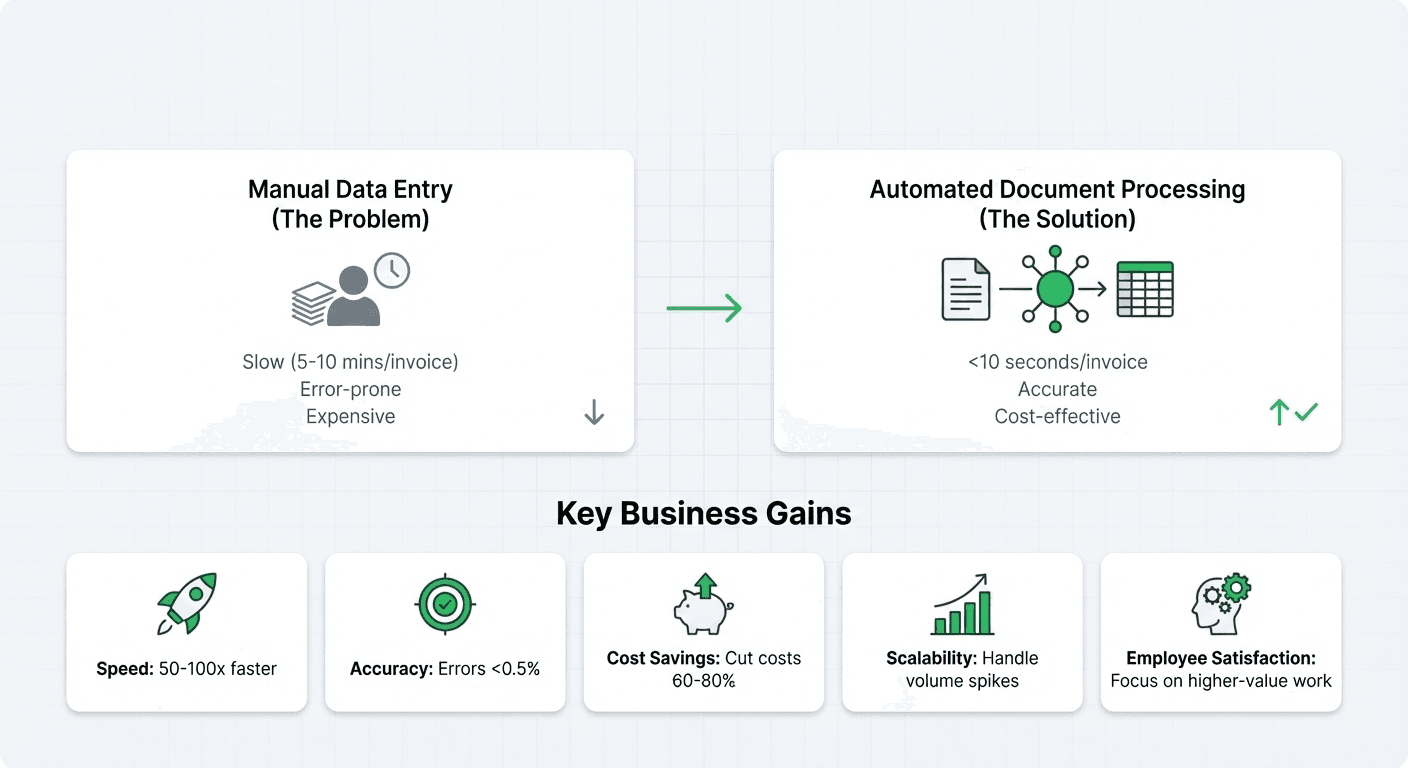
Manual data entry is slow, error-prone, and expensive. A single invoice might take 5-10 minutes to process manually. With automated document processing, that same invoice processes in under 10 seconds with higher accuracy.
Here's what businesses gain from implementing document processing:
- Speed: Process documents 50-100x faster than manual entry
- Accuracy: Reduce data entry errors from 3-5% to under 0.5%
- Cost savings: Cut processing costs by 60-80%
- Scalability: Handle volume spikes without hiring additional staff
- Employee satisfaction: Free staff from repetitive tasks for higher-value work
Core Technologies Behind Document Processing
Three key technologies power modern document processing systems. Each solves specific challenges in the journey from raw document to structured data.
Optical Character Recognition (OCR)
Optical Character Recognition (OCR) converts images of text into machine-readable text. When you scan a paper document or take a photo of a receipt, OCR analyzes the image and identifies individual characters.
Modern OCR goes beyond simple character recognition. It understands:
- Multiple languages and fonts
- Handwritten text
- Document layouts and structures
- Tables and forms
- Low-quality or skewed images
Popular OCR engines include Google Cloud Vision, AWS Textract, Microsoft Azure Computer Vision, and open-source options like Tesseract. The best choice depends on your document types, accuracy requirements, and budget.
Real Application: Invoice Processing at Parsea
We process thousands of invoices monthly from different suppliers. Each invoice has a different format, but our OCR system extracts key fields like invoice number, date, total amount, and line items with 98% accuracy. The system handles both digital PDFs and scanned paper invoices, automatically detecting document orientation and correcting image quality issues before extraction.
Intelligent Document Processing (IDP)
IDP combines OCR with machine learning to understand document context and meaning. While OCR tells you "this text says $1,234.56", IDP understands that this specific value is the invoice total, not a line item or tax amount.
IDP systems learn from examples. After processing a few hundred invoices, the system recognizes patterns and can handle new invoice formats without manual configuration. This adaptability makes IDP powerful for businesses dealing with diverse document sources.
Key capabilities of IDP include:
- Context-aware data extraction
- Confidence scoring for extracted values
- Automatic field mapping
- Exception handling and human-in-the-loop workflows
- Continuous learning from corrections
Real Application: Contract Analysis
We use IDP to extract critical information from contracts, lease agreements, and legal documents. The system identifies key dates, monetary values, party names, and clauses even when documents span 50+ pages. It flags unusual terms that deviate from standard agreements, helping legal teams focus their review on high-risk sections.
Document Classification
Document classification automatically identifies document types and routes them to appropriate processing workflows. When your system receives an email with five attachments, classification determines which is the invoice, which is the purchase order, and which is just a cover letter.
Classification uses various signals:
- Visual layout and structure
- Presence of specific keywords or phrases
- Document metadata (filename, file type, creation date)
- Source information (sender, location)
Real Application: Multi-Document Processing
We handle bulk document uploads where customers send mixed document types in a single batch. Our classification system separates these into categories (invoices, receipts, bank statements, contracts) with 99.2% accuracy, then routes each to specialized extraction pipelines optimized for that document type.
The Document Processing Workflow
Every document processing system follows a similar workflow, though specific implementations vary based on requirements. Here are the core steps that transform raw documents into structured data.
Step 1: Collection
Documents enter your system through various channels. Common collection methods include:
- Email attachments monitored by dedicated inbox processors
- Web uploads through forms or drag-and-drop interfaces
- API submissions from other systems
- Scanned documents from multifunction printers
- Cloud storage integrations (Google Drive, Dropbox, OneDrive)
- Mobile app uploads
During collection, the system captures metadata like submission time, source, and original filename. This information helps with tracking and troubleshooting later.
Step 2: Extraction
The extraction phase pulls raw data from documents. For image-based documents, OCR runs first to convert pixels into text. For digital PDFs, the system extracts text directly from the file structure.
Smart data extraction systems use templates and rules to identify important fields. For an invoice, the system looks for patterns that indicate:
- Invoice number (often labeled and near the top)
- Dates (invoice date, due date)
- Vendor information (name, address, tax ID)
- Customer information
- Line items (description, quantity, price)
- Totals (subtotal, tax, final amount)
Step 3: Transformation
Raw extracted data needs cleaning and standardization. The transformation step converts inconsistent inputs into a unified format your systems expect.
Common transformations include:
- Date parsing (converting "Feb 10, 2026" and "2026-02-10" both to a standard format)
- Number formatting (removing currency symbols, handling different decimal separators)
- Address standardization
- Unit conversions
- Text normalization (trimming whitespace, fixing capitalization)
Step 4: Validation
Validation catches errors before bad data reaches your core systems. The system checks extracted values against business rules and expected patterns.
Validation rules might include:
- Required fields are present
- Numbers are within reasonable ranges
- Dates make logical sense (invoice date before due date)
- Totals match line item sums
- Vendor information matches known suppliers
- Tax calculations are correct
Documents that fail validation go to an exception queue for human review. This human-in-the-loop approach maintains high accuracy while still automating the majority of processing.
Step 5: Integration
The final step delivers processed data to destination systems. Integration methods depend on your infrastructure:
- Direct database writes for internal applications
- API calls to update ERP, accounting, or CRM systems
- File exports (CSV, JSON, XML) to shared locations
- Webhook notifications to trigger downstream processes
- Spreadsheet updates via Google Sheets API or Excel integration
Good integration includes error handling, retry logic, and audit trails so you can track every document through the entire pipeline.
Real-World Applications
Automated document processing solves problems across industries:
- Accounts Payable: Process invoices from hundreds of suppliers, extract payment details, and route for approval
- Banking: Extract data from loan applications, identity documents, and financial statements
- Healthcare: Process medical claims, patient intake forms, and insurance documents
- Logistics: Extract shipping information from bills of lading, customs forms, and delivery receipts
- Legal: Review contracts, extract key terms, and flag risky clauses
- Real Estate: Process lease agreements, mortgage applications, and property documents
- Human Resources: Extract information from resumes, background checks, and employee forms
Frequently Asked Questions
What accuracy can I expect from document processing systems?
Modern systems achieve 95-99% accuracy on well-formatted digital documents. Handwritten or low-quality scanned documents typically see 85-95% accuracy. Accuracy improves as systems learn from corrections.
How much does document processing cost?
Costs vary widely. Cloud services charge per page processed (typically $0.001-0.10 per page depending on complexity). Self-hosted solutions require upfront infrastructure investment but lower per-page costs at scale.
Can document processing handle handwritten documents?
Yes, but with lower accuracy than printed text. Modern OCR systems handle handwriting, though accuracy depends on writing quality. Some systems require handwriting training data specific to expected writing styles.
How long does it take to implement document processing?
Simple use cases (processing standard invoices) can deploy in days using existing platforms. Complex custom solutions requiring training and integration might take 2-6 months.
What happens to documents that the system cannot process?
Documents with low confidence scores or validation failures go to exception queues for human review. This maintains accuracy while still automating most documents. Most systems aim for 80-90% straight-through processing rates.
Is document processing secure?
Reputable providers offer encryption in transit and at rest, SOC 2 compliance, and data isolation. Review security certifications and data handling practices before choosing a solution, especially for sensitive documents.
Next Steps
Start with a small pilot project processing one document type. Measure accuracy and processing time against your manual baseline. Once you prove value, expand to additional document types.
Focus on high-volume, repetitive document types first. These deliver the fastest ROI and help you build expertise before tackling more complex use cases.
Remember that document processing is not fully automated. Plan for human review of exceptions and continuous improvement of your extraction rules. The systems that work best combine automation with smart human oversight.