Document Extraction Guide: From Manual to AI Automation

Document data extraction transforms unstructured documents into organized, searchable data. Whether you're processing invoices, contracts, or forms, modern extraction tools can pull information from virtually any document with minimal manual work. This guide covers every extraction capability, from basic text recognition to custom model training, and shows you how each one solves real business problems.
What is Document Data Extraction?
Document data extraction is the process of identifying and capturing specific information from documents like PDFs, scans, images, and handwritten files. Instead of manually typing data from invoices or contracts, extraction tools automatically recognize and pull the information you need.
The goal is simple: process document content into structured and readable data. This matters because most business documents (invoices, receipts, applications, legal contracts) contain valuable data trapped in formats that computers can't easily read.
Text Extraction
Manual text extraction means reading documents and typing data into systems by hand. It works for small volumes but doesn't scale. One person might process 20-30 invoices per hour, and errors creep in quickly.
Automated text extraction uses optical character recognition (OCR) to read printed and handwritten text from scanned documents and images. Modern systems can process hundreds of documents per minute with accuracy rates above 95% for clean documents. The technology works across multiple languages and handles various fonts, sizes, and document qualities.
Use Case: Resume Keyword Screening
Recruiting teams receive hundreds of resumes as scanned PDFs or image files. Legacy applicant tracking systems (ATS) struggle with these formats, but text extraction provides a fast solution for initial screening without complex data structuring.
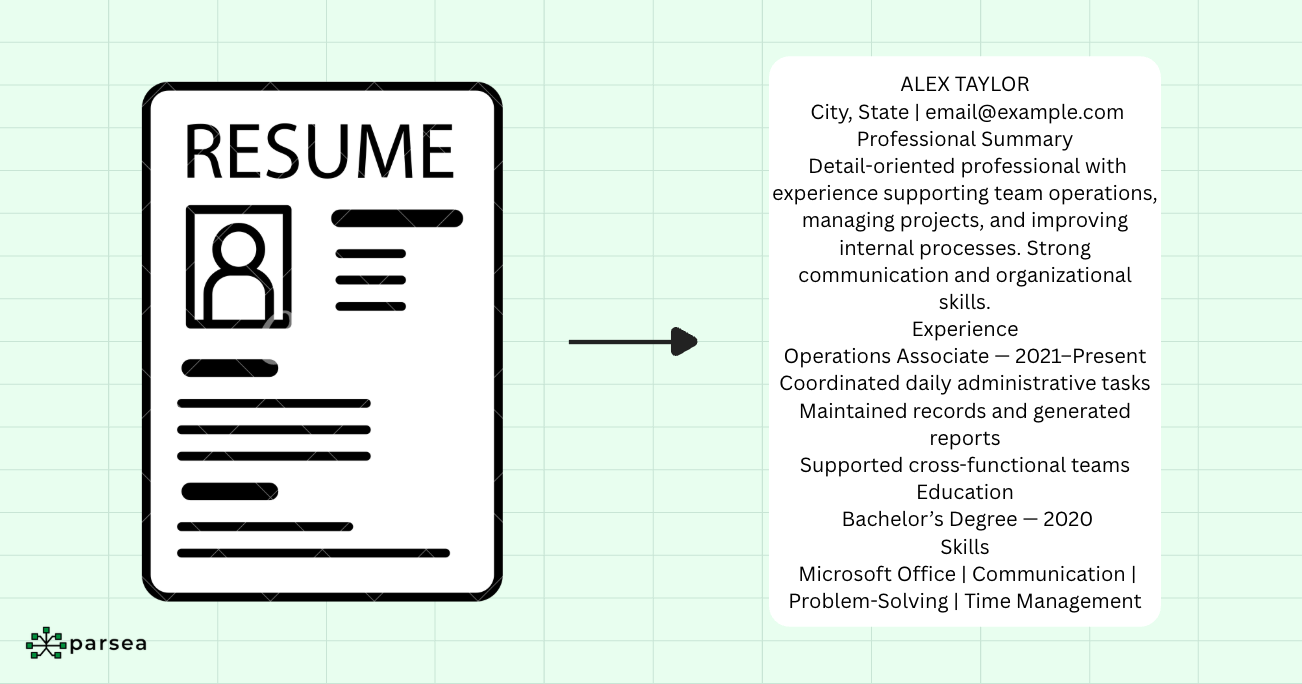
The goal isn't to extract structured fields like candidate names, education sections, or work history. Instead, you want quick answers to specific questions:
- Does this resume mention "Excel" or "Power BI"?
- How many times does "SQL" appear?
- Is "VBA" listed anywhere in the document?
The workflow is straightforward: OCR converts the entire resume into a text string, then keyword matching algorithms scan for required skills. Candidates get ranked based on keyword frequency and presence. This basic ATS filtering helps recruiters identify qualified candidates in minutes instead of hours, focusing manual review on the most promising applicants.
Form Field Recognition
Form field recognition identifies and extracts data from structured documents with labeled fields. The system recognizes field labels like "Name," "Date," or "Account Number" and captures the corresponding values. This works for both checkboxes and text fields.
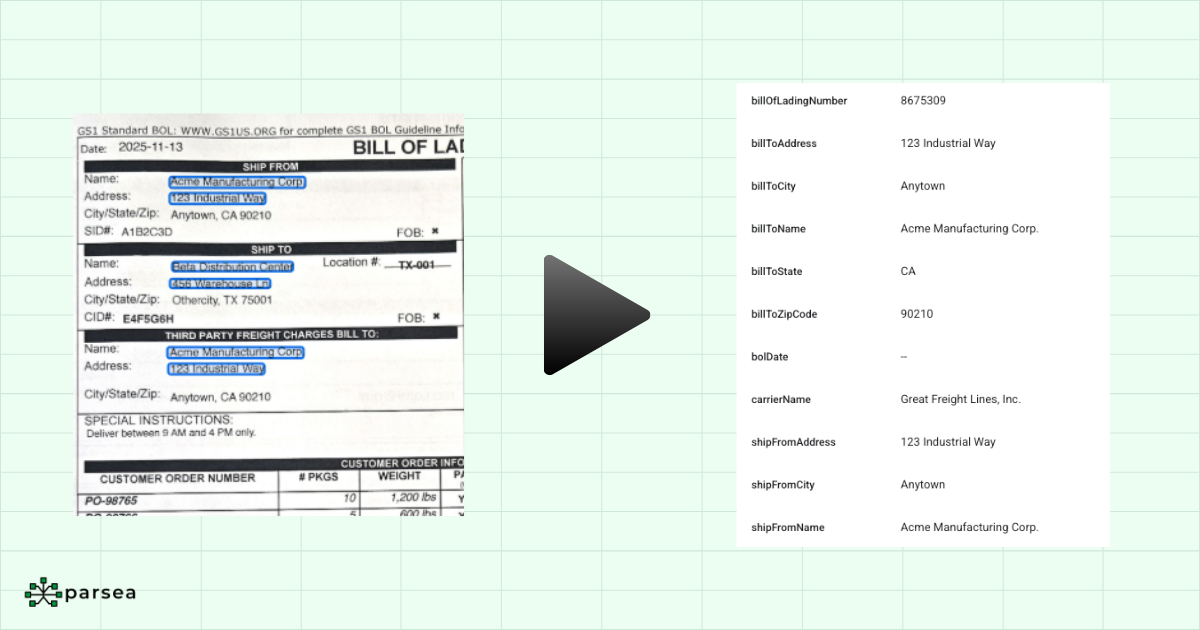
Advanced systems understand form layouts without templates. They recognize that a field labeled "Signature Date" expects a date format, while "Customer Name" expects text. This flexibility means you don't need to configure the system for every form variation.
Use Cases
Business Travel Expense Reimbursement: Automatically extract business travel expense information (names, dates, amounts, total, etc.) from receipts to populate expense reports.
Tax document processing: Pull data from W-2s, 1099s, and tax returns to automate tax preparation and compliance verification.
Table Extraction and Conversion
Table extraction recognizes tabular data (rows, columns, headers) from documents and preserves the structure. The challenge is that PDFs often store tables as images or unstructured text, making it difficult to copy and paste into spreadsheets while maintaining formatting.
Modern extraction tools detect table boundaries, identify headers, and map cells to their correct positions. They handle merged cells, multi-line entries, and nested tables that appear in financial statements and technical reports.
Use Case: Bank Statement Analysis
Financial analysts and accountants need to extract transaction data from online bank statements to reconcile accounts, track expenses, or build budget reports. Manually copying transaction tables row by row is tedious and error-prone.
Our bank statement extraction tool captures tables directly from images and PDFs and converts them into structured spreadsheets instantly. Users simply upload the file, and the data is extracted and converted into a spreadsheet.
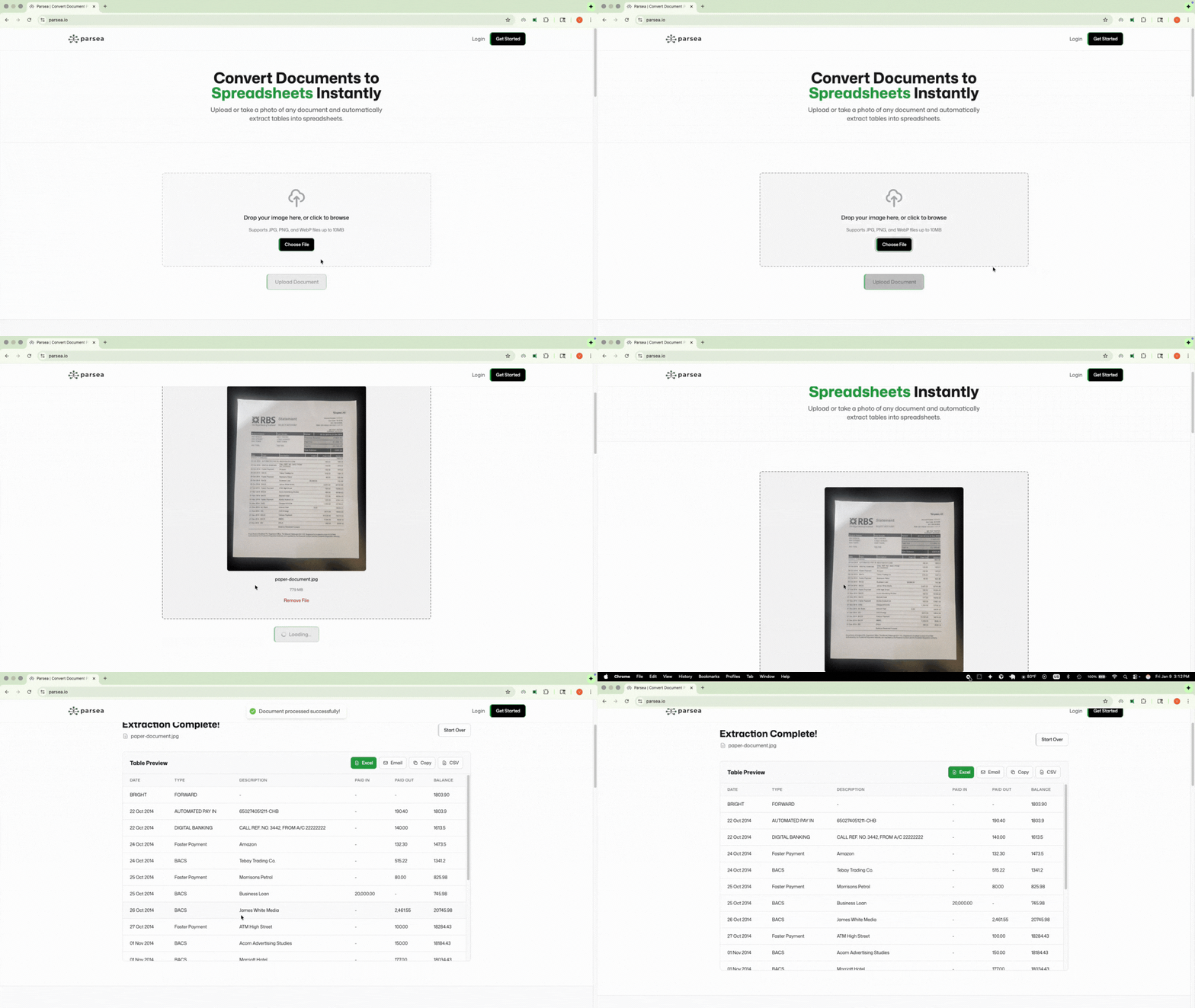
This workflow turns a 15-minute manual task into a 15-second automated one. Accountants can quickly aggregate data from multiple accounts, categorize expenses, and generate financial reports without the risk of transcription errors.
Signature Detection and Verification
Signature detection locates handwritten signatures in documents. The system identifies signature-like patterns (continuous pen strokes, typical signature shapes) and marks their positions. This helps verify that required documents are properly signed before processing.
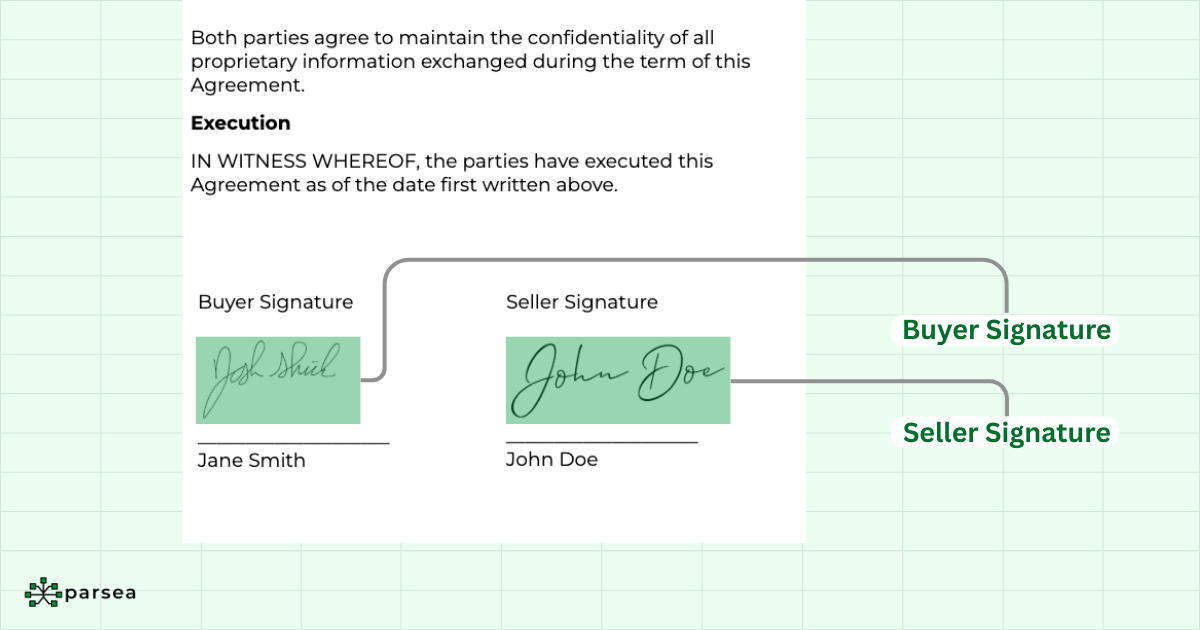
Some systems go further by extracting signature dates and matching signatures to signers when documents contain multiple signature fields. This enables automated validation of signing sequences and approval workflows.
Use Cases
Contract execution: Verify that all parties signed agreements before finalizing contracts. Automatically flag unsigned or partially signed documents for follow-up.
Compliance audits: Confirm that authorization forms, consent documents, and regulatory filings contain required signatures and dates.
Context-Aware Data Extraction
Context-aware extraction understands the meaning and relationships between extracted data points. It recognizes that "John Smith" near "Vendor Name" is different from "John Smith" near "Approved By." The system uses document structure, field proximity, and semantic understanding to assign meaning to extracted text.
This capability handles complex documents where the same information appears in different contexts, like distinguishing between billing addresses and shipping addresses on invoices.
Use Cases
Automatic document routing: Classify incoming documents by type (invoices, contracts, reports) and route them to appropriate departments or workflows.
Multi-document processing: Link related documents together, like matching purchase orders to invoices or connecting contracts to amendments.
Custom Model Training
Custom model training creates specialized extraction systems for unique document types that generic tools struggle with. You provide labeled examples of your documents (marking which text corresponds to which fields) and the system learns your specific format.
This matters for organizations processing proprietary forms, industry-specific documents, or files with unusual layouts. Training typically requires at least 10 labeled examples to achieve good accuracy.
Use Cases
Medical records: Extract patient information, diagnoses, medications, and treatment plans from healthcare documents that follow specialized formats.
Real estate: Process property listings, lease agreements, and title documents with industry-specific terminology and layouts.
Getting Started with Document Extraction
Start by identifying your highest-volume document types and the data fields you need to extract. Calculate how much time your team currently spends on manual data entry. This baseline helps you measure automation impact.
Test extraction tools with real documents from your workflows. Most platforms offer free trials. Focus on accuracy, ease of use, and integration with your existing systems.
Implementation Best Practices
Begin with one document type and one workflow. Prove the value before expanding to additional use cases. Set up validation rules to catch extraction errors. Plan for human review on low-confidence extractions until accuracy improves.
Monitor extraction quality over time. Document formats change, and your system needs updates to maintain accuracy. Regular monitoring helps you catch issues before they affect downstream processes.
Final Thoughts
Document data extraction eliminates manual data entry across invoices, contracts, forms, and reports. The right extraction capabilities (text recognition, form field capture, table conversion, signature detection, and custom models) turn document processing from a bottleneck into an automated workflow.
Ready to automate your document processing? Try Parsea's free document extraction tool to convert them into spreadsheets in seconds. No training required, no technical setup, just upload and extract.