Financial Statement to Google Sheets
Convert your financial statement photos into Google Sheets instantly. Upload JPG or PNG images of financial statements and extract revenue, expenses, and profit data into Google Sheets, CSV, or Excel format.
See how it works
Watch how our AI-powered tool converts financial statement images into organized Google Sheets with financial data.
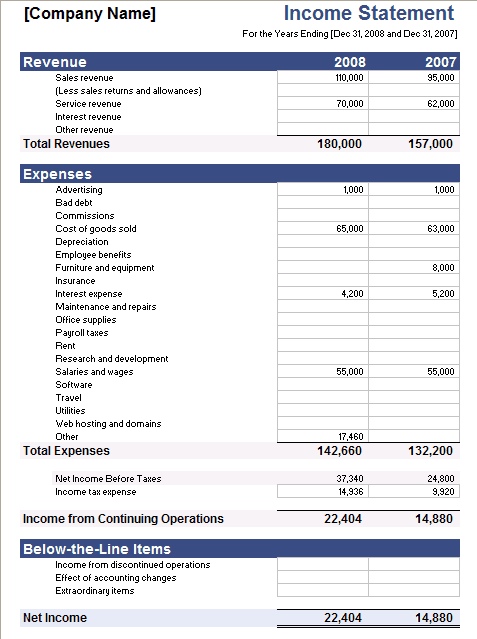

| Income Statement | ||
| For the Years Ending [Dec 31 2008 and Dec 31 2007] | ||
| **Revenue** | 2008 | 2007 |
| Sales revenue | ||
| (Less sales returns and allowances) | 110000 | 95000 |
| Service revenue | ||
| Interest revenue | 70000 | 62000 |
| Other revenue | ||
| **Total Revenues** | 180000 | 157000 |
| **Expenses** | ||
| Advertising | 1000 | 1000 |
| Bad debt | ||
| Commissions | ||
| Cost of goods sold | 65000 | 63000 |
| Depreciation | ||
| Employee benefits | ||
| Furniture and equipment | ||
| Insurance | 8000 | |
| Interest expense | 4200 | 5200 |
| Maintenance and repairs | ||
| Office supplies | ||
| Payroll taxes | ||
| Rent | ||
| Research and development | ||
| Salaries and wages | 55000 | 55000 |
| Software | ||
| Travel | ||
| Utilities | ||
| Web hosting and domains | ||
| Other | 17460 | |
| **Total Expenses** | 142660 | 132200 |
| Net Income Before Taxes | 37340 | 24800 |
| Income tax expense | 14936 | 9920 |
| **Income from Continuing Operations** | 22404 | 14880 |
| **Below-the-Line Items** | ||
| Income from discontinued operations | ||
| Effect of accounting changes | ||
| Extraordinary items | ||
| **Net Income** | 22404 | 14880 |
Powerful Features
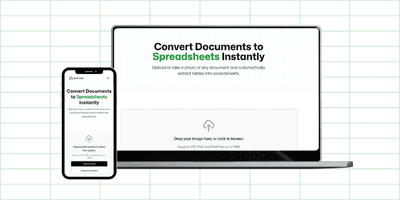
Mobile & Desktop Ready
Capture financial statements with your phone camera or upload from your computer. No downloads or installations required.
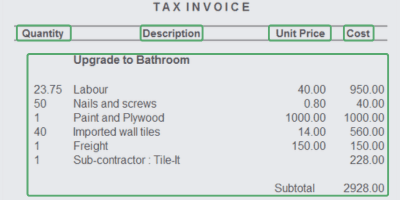
AI-Powered Extraction
Automatically identifies and extracts key information from financial statements with precision and speed.
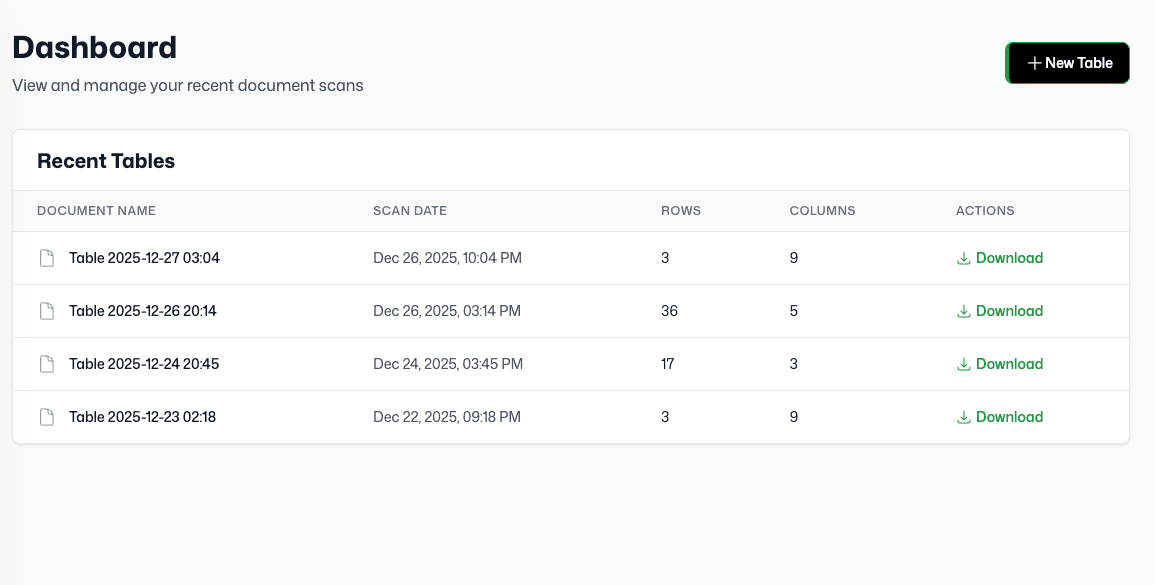
Upload History
Access your previously converted documents anytime. Keep track of all your conversions in one place.
Supported Financial Statement Formats
Convert images into spreadsheets in multiple formats. Transform your financial statements into Excel, CSV, or Google Sheets compatible files.
Input Formats
Upload images in these formats to convert to spreadsheets
JPG
JPEG images
PNG
PNG images
JPEG
JPEG format
WebP
WebP images
Output Formats
Download your converted data in these spreadsheet formats
Excel
Microsoft Excel format
CSV
Comma-separated values
Google Sheets
Compatible with Google Sheets